Learning Media Canvas: a visual way to plan learning media
Developing an animation or interactive learning resource is a collaborative process. Academics bring subject expertise, while learning designers and media producers help turn that knowledge into a clear and engaging experience for students.
It can be difficult, however, to communicate how a proposed resource should look and work before production begins. A written brief may describe the content without showing how screens connect, where interactions occur or how narration and visuals work together.
Learning Media Canvas is a visual planning tool I developed to make this process easier.
What can you create?
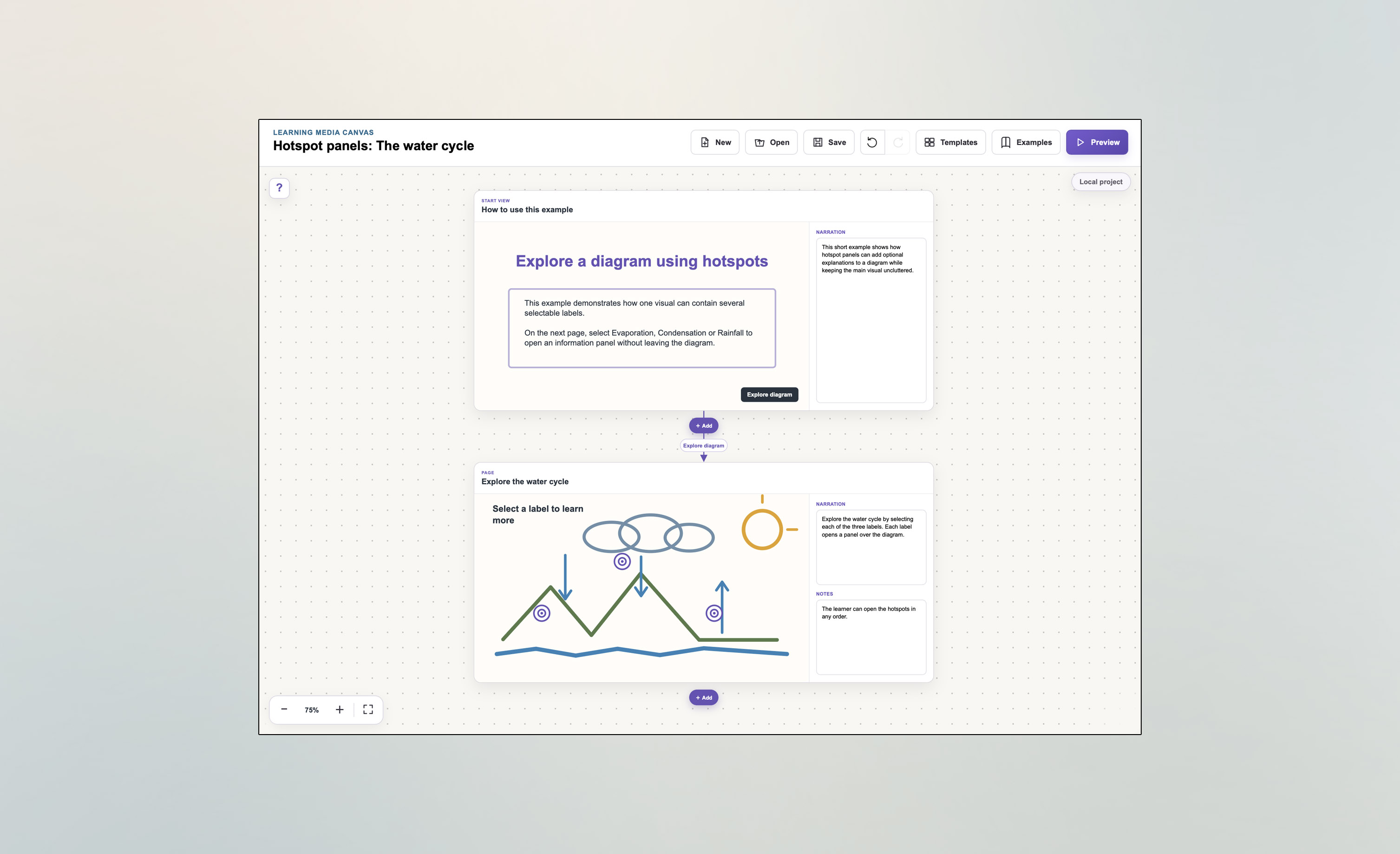
A project begins with a single page or scene. You can then add further pages, narration, production notes, images, sketches, information panels and links between different parts of the experience.
Learning Media Canvas can be used to plan:
- An animation or video storyboard
- An interactive animation containing questions or choices
- A branching scenario
- An explorable image with information hotspots
- A sequence of connected learning activities or information pages
The tool does not create the finished media. Instead, it helps academics and production teams agree on the content, structure and learner experience before detailed development begins.
Start with a sketch
Each page includes an area where you can draw a rough sketch, add text or upload a reference image. The drawing does not need to be polished—a simple diagram is often enough to communicate the intended visual.
You can also generate a reference image from a written description. Generated images are intended as planning aids rather than finished artwork.
Alongside each visual, you can record:
- Narration: what the learner will hear or read
- Notes: production guidance, visual direction, timing or references
For interactive projects, pages can connect into different paths. Learners might choose a topic, answer a question or open an information panel. The canvas displays these relationships automatically, and preview mode lets you navigate the proposed experience as a learner would.
Why use it?
Planning visually can help a project team:
- Develop a shared understanding of the proposed resource
- Review the sequence and scope of the content
- Decide where interaction adds value
- Check narration alongside the corresponding visuals
- Identify missing screens, links or explanations
- Gather feedback before production begins
The aim is not to ask academics to become designers or developers. It is to provide an accessible way to communicate an idea and contribute directly to the shape of the finished experience.
Try it yourself
Open Learning Media Canvas and start a project
You can begin from a blank project, load a template or explore one of the completed examples. Projects can be saved as a small file and shared with colleagues.